[CASE STUDY]
Design-System and Wireframes for The Outlook
- Category
- Design System
- Year
- 2026
- Client
- The Outlook (Sydney)
Context
A Sydney-based SaaS platform for event organizers had just merged seven separate apps into one suite. The design system lived in code — React, shadcn, Tailwind, Storybook, no Figma. The team’s lead designer brought me in because the merge had surfaced two problems: competing save patterns across the apps, and no shared rule for when to reuse a component, extend it, or build a new one.
My Role
Freelance UX and product designer, working async across a 10-hour time difference. The engagement started as a paid trial — map four competing save patterns and write them up as a reuse/extend/new rule — and expanded from there into audit work and then feature design.
Approach
No visual work without component mapping first. Every decision checked against the existing Storybook: can this be reused, should it be extended, or does it need something new? The build order sequenced by dependency depth so engineering could ship in phases instead of landing everything at once. Everything through Slack and Figma, no calls.
What I Delivered
Phase 1 — Design-System Audit. Save-models audit v2 with reuse/extend/new rules for the existing patterns, used as the basis for consolidation inside the design system.
Phase 2 — Feature work: Digital Asset Manager. Needs analysis, signed off by the lead designer. Six low-fi wireframes in a week: asset library, asset detail, folder view, tags view, media picker, people detail. The asset detail moved to a sheet-drawer after a review round.
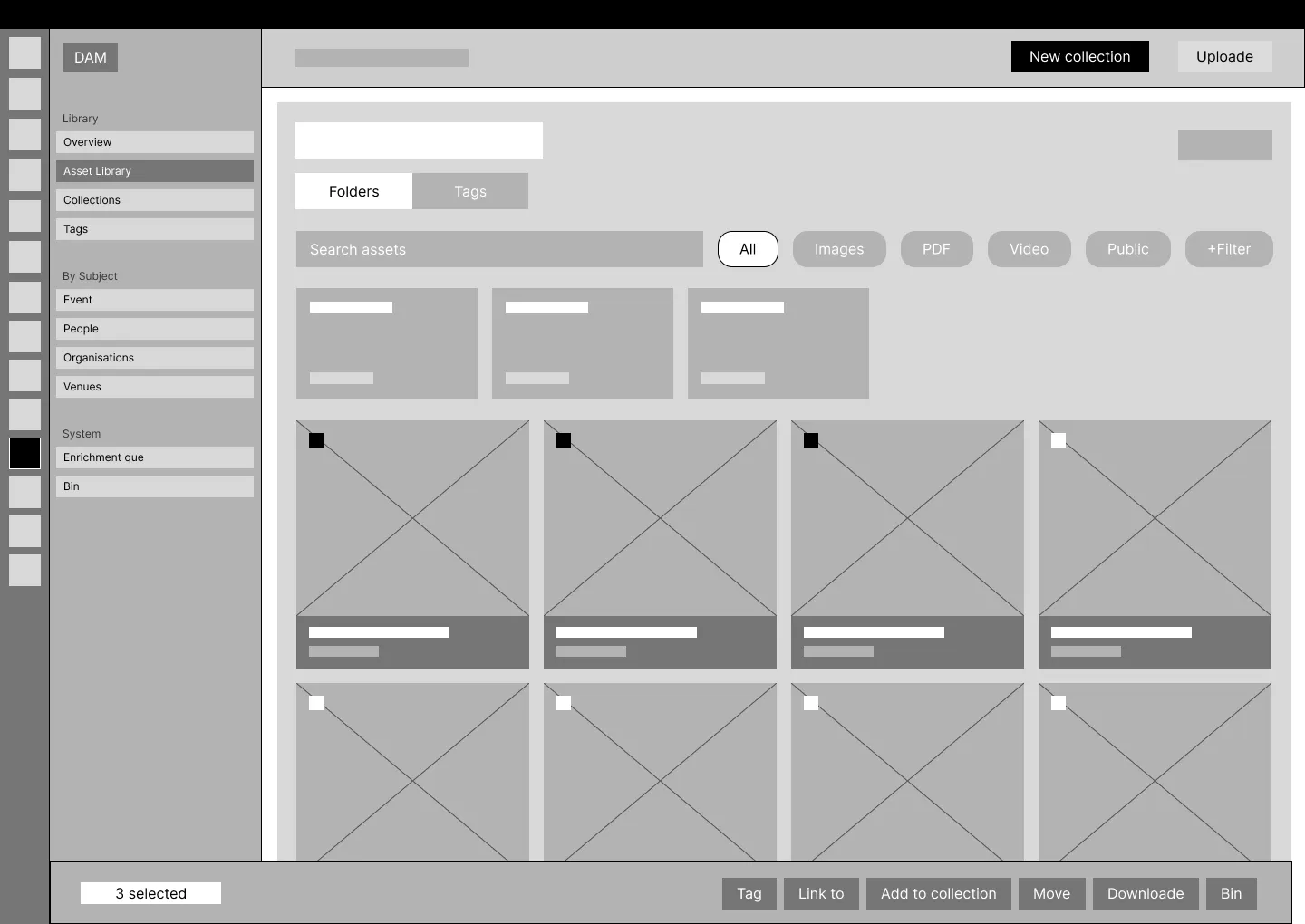
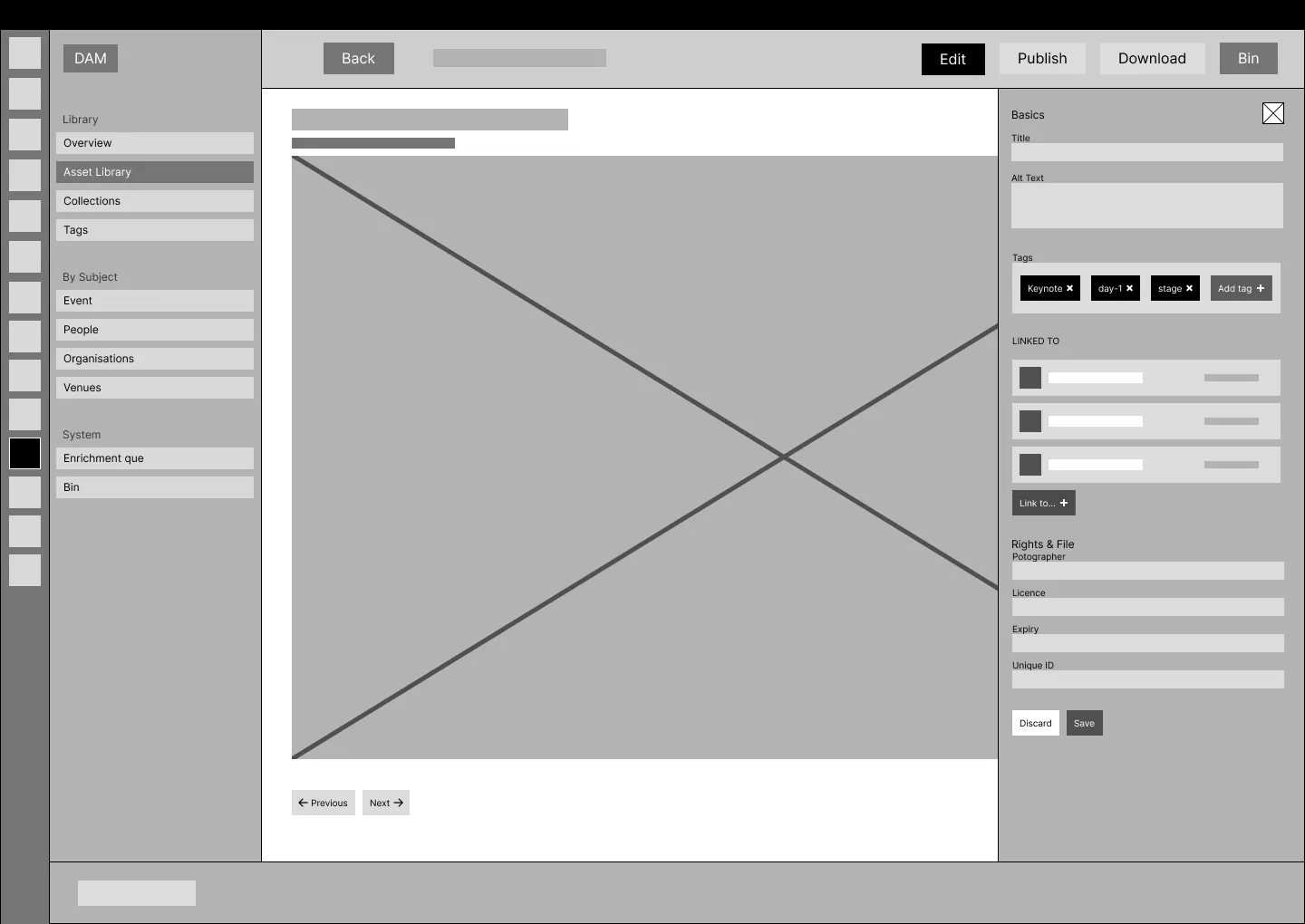
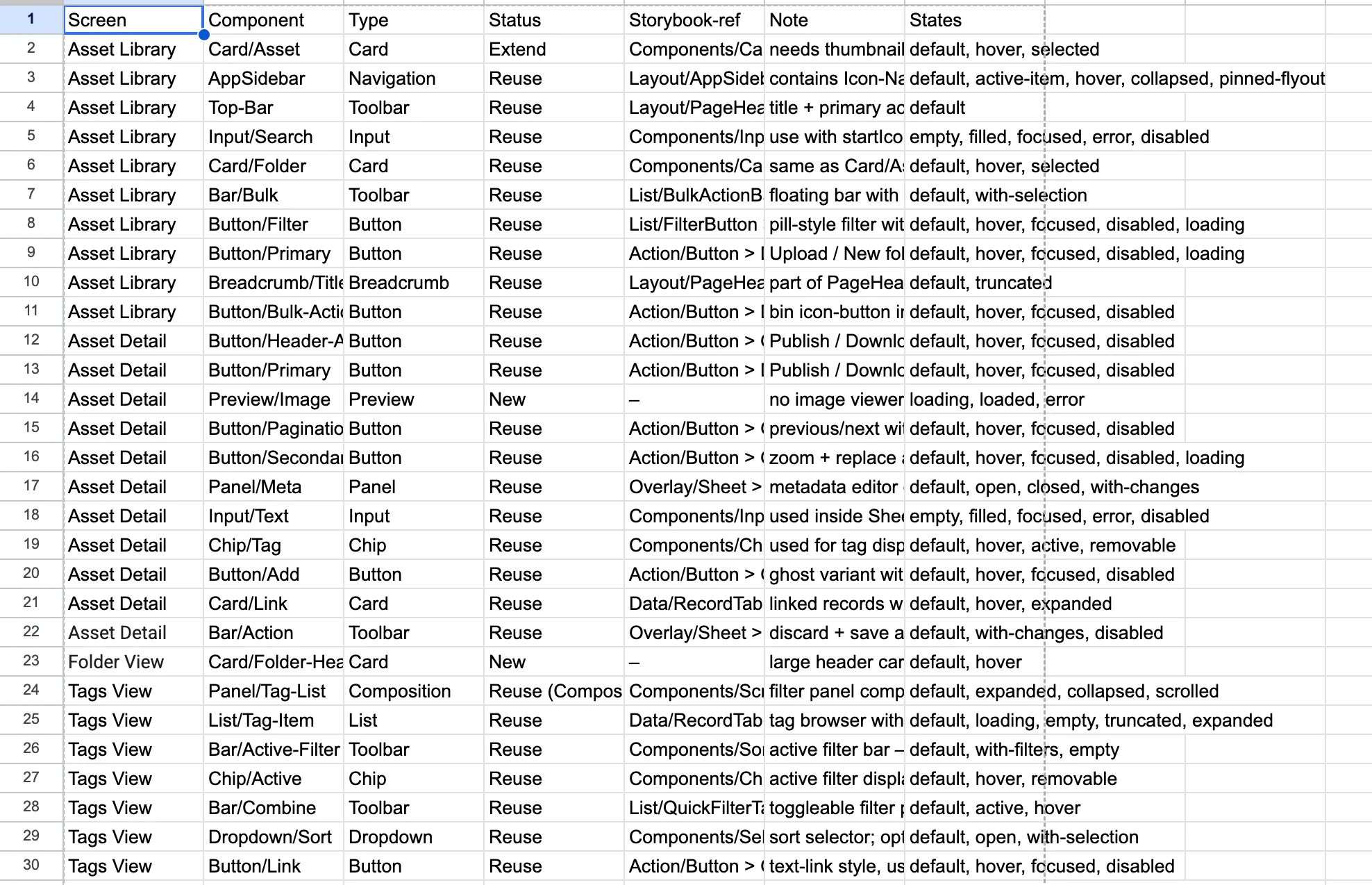
Final handoff was a mapping table and a build order: 41 components mapped against the existing design system, 25 build items sequenced in 4 phases, 3 new components identified.
Result
The “key screens by end of week” milestone was hit on time. The team got a build-ready spec — mapping plus phased order — instead of just screens to interpret. The engagement is on hold for now, paused on the client side, with a clean handoff behind it.
“Thank you so much for this, it’s great work!”
— Elaine, Product Lead at The Outlook
Takeaway
For products with a mature design system, the most valuable thing a designer can deliver isn’t more screens. It’s a build-ready sequence engineering can actually ship — every decision traceable back to a component that already exists, or a reason it doesn’t.